Dinosaur Splash:
parent and teacher guide
Dinosaur Splash is a calm, free app for kids ages 5 to 7. Children can talk with pictures, practice sounds and words, start reading and play simple counting games. It's designed for autistic kids and works for any child. It has no ads, no accounts and no tracking.
It works best in Microsoft Edge or Chrome on a laptop or tablet with a touchscreen.
Pick a friend
Choose who talks to your child in the grown-up settings. Each friend has their own look, their own scene and their own recorded voice, so every device sounds the same.
- T-Rex: a friendly cartoon T-Rex with a volcanic coast at dusk.
- Super Tom: a caped superhero dino with a rooftop sunset skyline.
- Brena: a pink fairy princess in a rose-lit enchanted forest.
- Little dino: a round green baby dino in a fern valley.
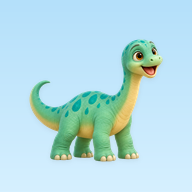
- Long Neck: a baby Brachiosaurus in the same fern valley.
- Trike: a baby Triceratops in the same fern valley.
Every friend's scene shows behind the screen, and the bottom row of buttons stays the same no matter who is on screen.
The activities
- talk: A picture talk board. Tap a picture and your friend says the whole sentence ("I want pretzels"). Each word lights up as it's spoken. The tabs are drink, snack, food, play, need, feel, people and go.
- say it: Your friend says a word slowly, then your child taps my turn. With the microphone on, the app plays the child's voice back so they can hear themselves.
- splash: Pick a dinosaur and tap in, out or more. The dino hops in and out of the pond and says the sentence.
- read: A word appears and your child taps the matching picture. Every right answer fills an egg, and 5 eggs hatch a baby dino. A wrong tap just gets a gentle wiggle.
- letters: Tap any letter to hear its name, its sound and a word that starts with it. For example: "E. Eh, eh, egg. E says eh, like in egg."
- sounds: Your friend says a letter sound and your child finds the matching letter. You choose which letters in the settings, so it can match what school is teaching this week.
- count: Count ducks, dinos, stars or eggs, up to 5, 10 or 20.
- more / less: Two groups appear and your child taps the one with more (or less). It never goes past 10.
- first, then, last: Put three steps in order.
The bottom row (yes, no, more, help, break, all done) stays on every screen.
Put it on a tablet's home screen
- iPad: open the site in Safari, tap the Share button, then tap Add to Home Screen.
- Android or Chromebook: open the site in Chrome, open the ⋮ menu and tap Install app or Add to Home screen.
- Windows laptop: open the site in Edge, open the ⋯ menu, then choose Apps and Install this site as an app.
After the first visit, it opens even without internet.
Grown-up settings
Press and hold the ⚙️ button (top right) until the circle fills. There you can change:
- Friend on screen (who talks, and which recorded voice you hear).
- Voice style (calm, cheerful or extra bubbly), talking speed and volume.
- Little dino look (little or big kid) for the little dino and the splash pond.
- Soft sound effects and gentle movement, each on or off.
- Microphone in "say it".
- Reading game: how many pictures to choose from (2, 3 or 4), and whether the word is said first. Turn that off when your child is ready to read it on their own.
- Sounds game: which letters to practice.
- Counting: how high the numbers go, whether more / less asks for more, less or both, and what to count.
- Full screen.
Settings are saved on that device only.
If something looks old or wrong, open the settings and tap Refresh app under "Fresh start." It clears the saved copy on that device and reloads the newest version.
Show him how it works
Tap the talk pictures yourself while you say the words ("I want... juice!"). Kids learn to use picture talk by watching grown-ups use it. Give it time: count to 10 quietly before you help. Any try counts, whether it's a tap, a sound or pointing.
Calm by design
There's no flashing, no music or beats, only slow gentle movement and soft chimes. You can turn movement and sounds off completely. If the device's "reduce motion" setting is on, movement starts off.
Privacy
The app collects nothing and sends nothing anywhere. Microphone sound is played back once and never saved or uploaded.
Voices
Every voice in the app is a recorded clip, not a robot voice. The T-Rex, Little dino, Long Neck and Trike voices were created by Jillian in ElevenLabs. Super Tom and Brena use voices from the ElevenLabs Voice Library. All clips were made on a paid ElevenLabs plan, which allows commercial use. If a clip is ever missing, the app falls back to a voice from the device, and Edge has the most natural ones.
From the maker
Dinosaur Splash was made by Jillian (Mom) for Little Tom. Tom loves dinosaurs, so she built him a calm, happy place to talk, read and practice words, his way. It's free for every family and classroom.
Jillian also wrote a children's book, The Forest Remembers Its Friends. Find it on Amazon.